Table of Contents
If you are reading this article, that concludes that you are willing to know more about what is Malware and how to protect against these types of attacks.
If so, then you have landed in the right place. Understanding the different components of Malware is essential for all who want to protect their computer and personal data from malicious attacks.
Different types of Malware are there based on their method of attack, so knowing each type of Malware will help you protect yourself if you get attacked.
In this article, I covered some of the most common and popular Malware, such as viruses, trojans, worms, ransomware, and spyware, which you should know about.
What is Malware
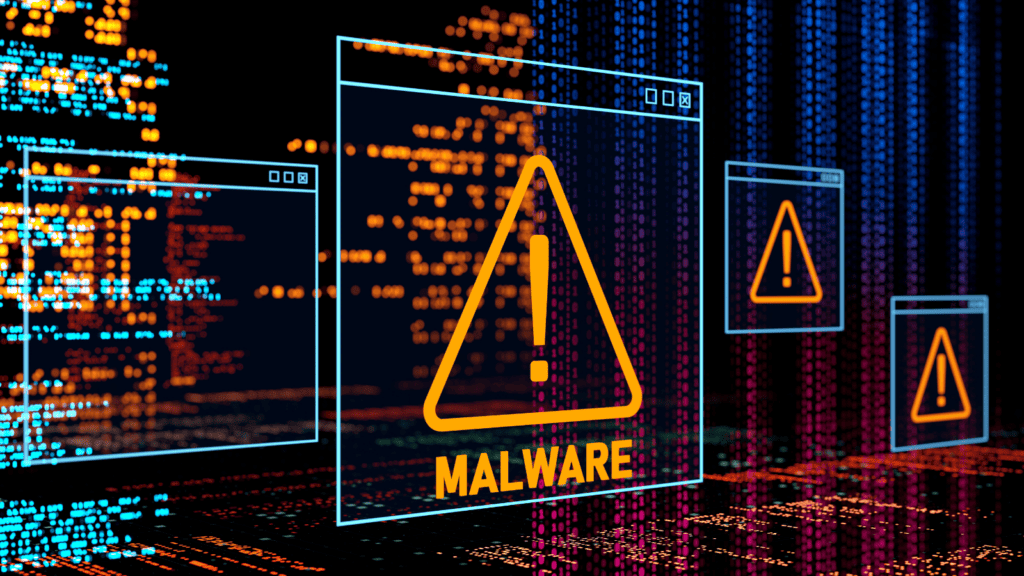
Malware, short for “Malicious software,” is a type of software designed to harm or infiltrate a computer system or network. It’s a broad term that includes viruses, trojans, worms, adware, spyware, and other types of harmful software.
Importance of understanding different components of malware
Malware can be spread through infected email attachments, downloads from the internet, or by visiting a malicious website.
Once installed on a system or device, Malware can cause a wide range of problems, including slow system performance, stealing sensitive data, or even taking control of the system.
That’s why it is important to have reliable anti-malware software installed on your computer or device to practice safe browsing habits to avoid becoming a victim of malware attacks.
A brief overview of different components of malware
Here I have listed some of the most important malware attackers commonly use that you must be aware of. In this section, I will help you with a brief overview of the types of malware you should know.
1. Virus
A virus is a type of malicious software that can self-replicate and infect other programs or files on your system or device. So in case if your device is infected with a virus, it will harm your device by corrupting data, stealing personal information, or damaging system files.
2. Trojan
A Trojan is also a type of malware that is disguised as legitimate software to trick users into installing it. Once installed, a Trojan can perform malicious activities such as stealing data, spying on user activity, or opening a backdoor for remote access.
3. Worm
Work is a malicious program that independently replicates, executes, and spreads across network connections. Commonly attackers use the worm to install backdoors in infected devices.
4. Spyware
As the name suggests, spyware is a type of malware attackers use to monitor user activities and secretly send data to third parties. Moreover, in most cases, attackers use malware to steal the data like bank passwords and card details.
5. Ransomware
Ransomware is one of the most famous and dangerous malware. The attackers make the malware attack to restrict access to the computer system’s files and folders. And once they control it entirely, the attackers will demand some ransom amount to remove the restriction.
6. Rootkit
Rootkits are software programs designed to conceal themselves and the malicious activities of the attacker, giving them complete control over the host or server both in the present and the future.
Common Indications of Malware Attack
Here are some of the common ways, or indications, to find out if your system is attacked by any malware by the attackers.
Slow computer performance: One of the most common indications when any system is affected by a malware attack is slow system performance.
High CPU and Storage uses: Monitoring the services of your program or files running in the background is always the best option for countermeasures against any malware attack.
Default settings changes: Some of time, you might observe that all of a sudden, the default Background or wallpaper settings change automatically.
Antivirus alerts: One of the most common indications is to find does your system has a malware attack to check for the antivirus status.
Pop-up ads or unwanted browser toolbars: Malware often comes bundled with adware, which can cause pop-up ads to appear on your screen or install unwanted toolbars in your web browser.
Missing or modified files: If you notice missing or modified files on your computer, it could be a sign that malware is deleting or changing files on your system.
How to Protect Against Malware
Now that you have a clear idea about the different components of malware, it’s time to know the countermeasures of this malware so that you can protect your device or network without compromising any security breaches.
Use Anti-malware software: One of the most effective ways to protect your system from malware is to use good anti-malware software.
A regular check of the task manager report: The other way to protect against these malware attacks is to check your task manager regularly.
Adjust browser security settings: Adjusting browser security settings is another way to protect against malware attacks which can help protect your computer and personal information from cyber threats.
Close unused ports: If you are a working professional or a small business owner who is only taking care of the security of your own business, then closing or filtering open ports which are not in use is the best way to prevent unwanted malware attacks.
Regular Data Backup: Taking Data backup always gives you an extra layer of protection, no matter which niches your business is in.
Avoid Downloading Untrusted Files: As a cyber security professional, one typical pattern I observed is that most of our clients accept that post-downloading untrusted software follows miscellaneous activity on their devices.
Avoid opening attachments: As per the data shared by dataprot.net, almost 91% of cyber attacks against large corporations are because of Phishing emails.
Keeping software up-to-date: It is always recommended to update your applications or devices when a new update comes.
![How to Become a Cyber Security Expert In 2025 [Salary & Job]](../assets/images/blog-1.png)